
CMS Manager
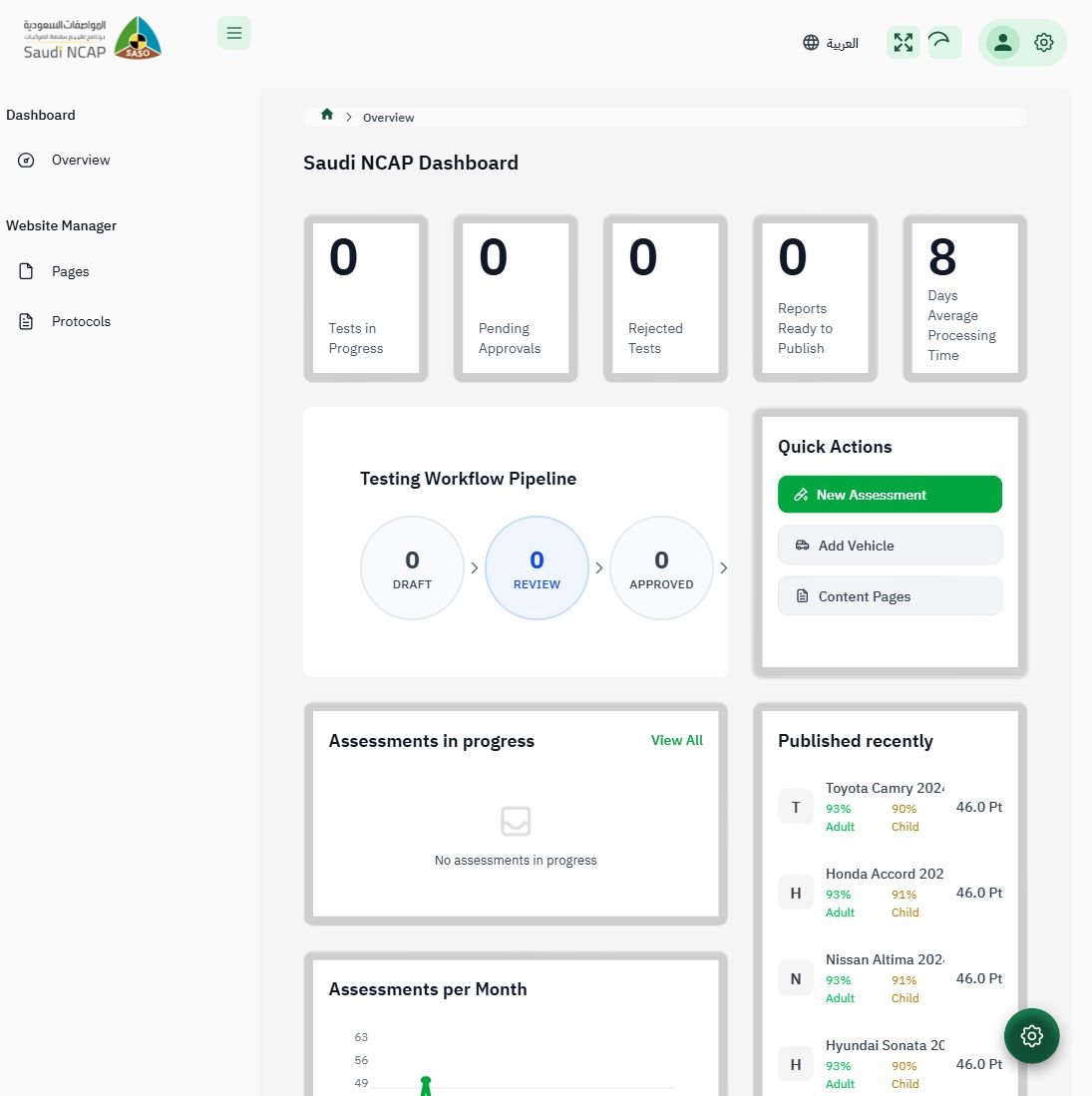
Confirmed Sidebar captured on 2026-03-16.
Role Summary
Section titled “Role Summary”| Property | Value |
|---|---|
| Username | cms-manager |
| Purpose | Manage public-facing website content (pages, media) |
| Scope | Website Manager section only — zero assessment access |
| Principle | Content management is fully separated from assessment workflow |
Sidebar Navigation (Confirmed)
Section titled “Sidebar Navigation (Confirmed)”The CMS Manager has the most restricted sidebar of all roles — only 3 items:
Dashboard └─ Overview (/admin/dashboard)Pages (/admin/content/pages)Protocols (/admin/content/protocols)Total: 3 items
Hidden from CMS Manager
Section titled “Hidden from CMS Manager”- Assessments (entire section)
- Protocols (assessment-level, top-level)
- Vehicles (Makes, Manufacturers, Test Requests)
- System Configuration (Lookup Tables, Child Restraints)
- Administration (all 6 sub-items)
- Monitoring (all 3 sub-items)
- Media Library (surprisingly hidden!)
- Site Settings
Expected Capabilities
Section titled “Expected Capabilities”| Action | Can Do? | Notes |
|---|---|---|
| Manage website pages (Arabic + English) | ✅ | Via Pages section |
| Draft and publish content pages | ✅ | Via Pages section |
| Access Media Library | ✅ | Currently broken — not in sidebar |
| View CMS Protocols | ✅ | Via Protocols (CMS) |
| Create/edit assessments | — | No access |
| Approve/publish assessments | — | No access |
| Manage users | — | No access |
| System configuration | — | No access |
Available Screens
Section titled “Available Screens”Dashboard
Section titled “Dashboard”Standard dashboard with overview information. Assessment-specific stats may be visible but not actionable.
- URL:
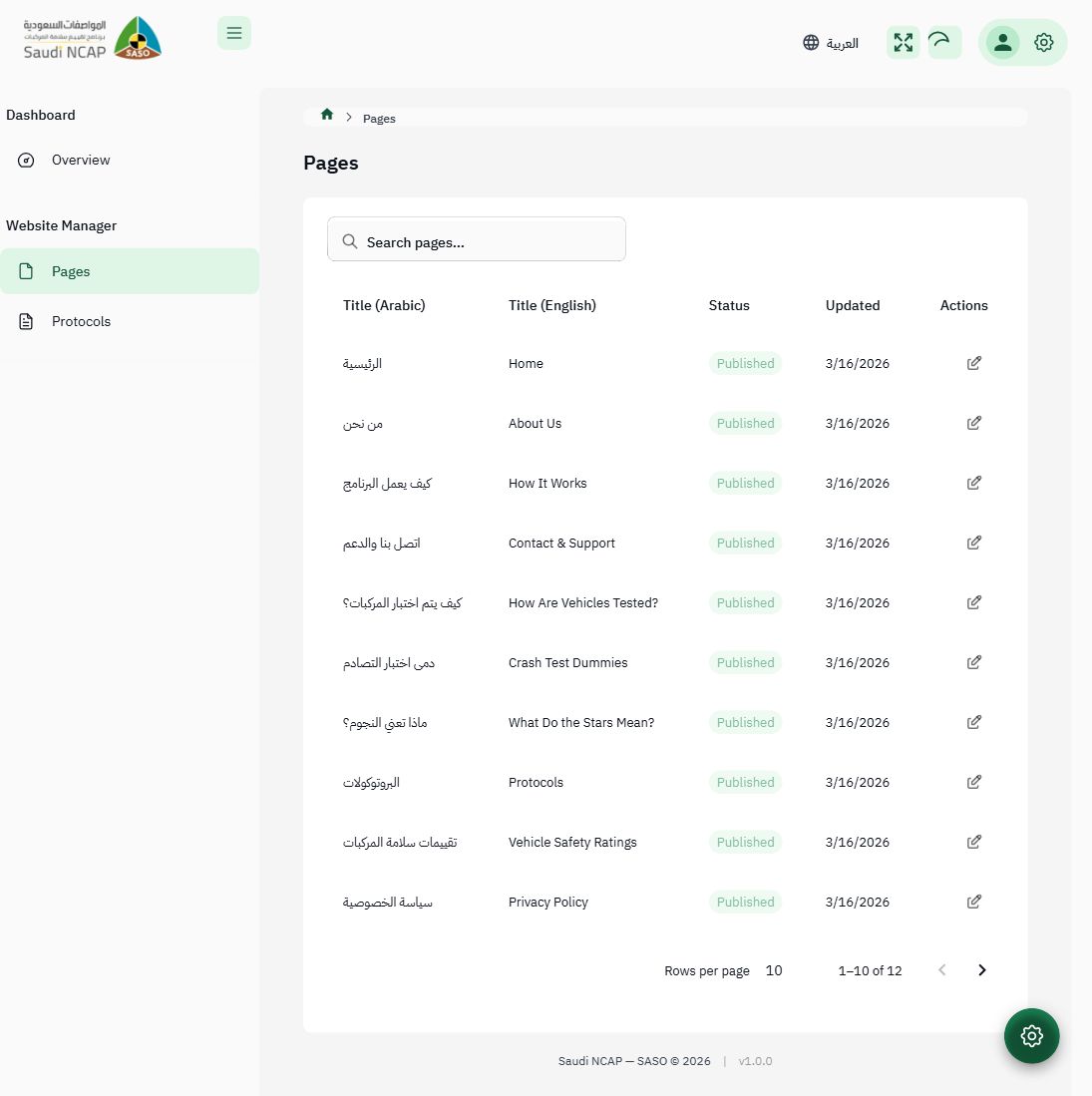
/admin/content/pages - Manage bilingual content pages (Arabic + English)
- Create, edit, draft/publish pages
- Full CRUD operations
Protocols (CMS)
Section titled “Protocols (CMS)”- URL:
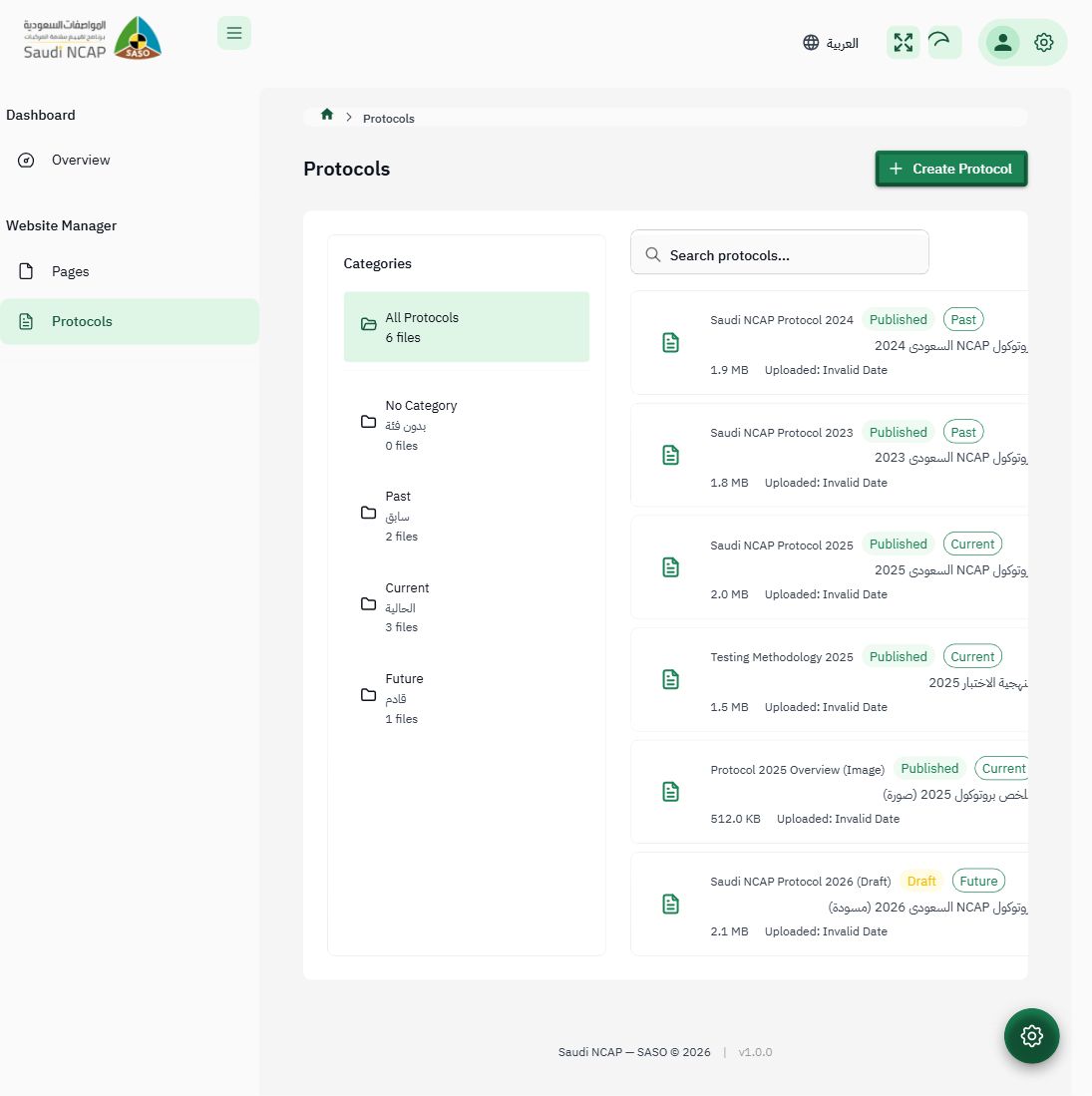
/admin/content/protocols - View and manage CMS-level protocol documentation
- Separate from the assessment-level Protocols page
Correct Design (After Fixes)
Section titled “Correct Design (After Fixes)”The CMS Manager sidebar should have 4 items:
Dashboard └─ Overview (/admin/dashboard)Pages (/admin/content/pages)Protocols (CMS) (/admin/content/protocols)Media Library (/admin/content/media) ← needs to be addedPending Documentation
Section titled “Pending Documentation”- Deep screenshots of Pages list and edit views
- Verification of Arabic + English content fields
- Screenshots of Draft/Publish toggle
- Restricted URL testing (e.g.,
/admin/assessments)